Sharing operational telemetry with Posit

Sharing telemetry is optional and off by default. If you turn it on, the Posit Team Native App shares a fixed, published set of operational metrics with Posit so we can see when your deployment is unhealthy and help you resolve problems faster. This page lists exactly what is shared, and how to check it.

What is shared

Metrics only. Container logs are not shared. No user names, session contents, code, data, or queries are included. Posit does not receive other applications’ events from your account.

Snowflake platform metrics

Snowpark Container Services generates these metrics for each Posit Team container (Workbench, Connect, Package Manager, and the controller). Definitions are from Snowflake’s documentation.

Group Metrics What it tells us
system container.cpu.usage, container.memory.usage (GPU metrics only if GPUs are configured: container.gpu.memory.usage, container.gpu.utilization) Whether a service is running out of CPU or memory, the most common cause of slow or killed sessions.
system_limits container.cpu.limit, container.cpu.requested, container.memory.limit, container.memory.requested (GPU: container.gpu.limit, container.gpu.requested, container.gpu.memory.capacity) The size your services are configured at, so we can tell a resource shortfall from a sizing choice.
status container.restarts, container.state.finished, container.state.last.finished.reason, container.state.last.finished.exitcode, container.state.pending, container.state.pending.reason, container.state.running, container.state.started Whether containers are up, stuck starting, or were killed (for example, for running out of memory), and why.
network network.egress.denied.packets, network.egress.received.bytes, network.egress.received.packets, network.egress.transmitted.bytes, network.egress.transmitted.packets, network.ingress.connections.active, network.ingress.cps Whether traffic is being blocked by your network policy (a frequent cause of failed package installs and database connections).
storage volume.capacity, volume.usage, volume.io.inflight, volume.read.iops, volume.read.throughput, volume.write.iops, volume.write.throughput Whether a volume is filling up, before it causes an outage.

Each metric is a number with a timestamp and the identifying attributes Snowflake attaches (see How shared data is identified).

Metrics emitted by Posit Team

Metric What it contains What it tells us
license_expiry_remaining_seconds For each of Workbench, Connect, and Package Manager: license type (paid or trial), license status (active, expired, and so on), and seconds remaining until license expiry (0 for inactive or invalid licenses). Lets us spot an expiring or expired license before it interrupts your users.

This list is closed and version controlled. Any addition is published here first, and takes effect only upon upgrade to a new Native App version.

Why we ask

We use this data to monitor the health of your Posit Team deployment, help you resolve incidents faster, and improve the reliability of the product. We do not use it for sales or marketing outreach.

Turn sharing on

You need the ACCOUNTADMIN role, or a role with the MANAGE EVENT SHARING privilege.

  1. In Snowsight, open the Posit Team app and select the App events tab.

    Posit Team app page in Snowsight with the App events tab highlighted.

    App events tab
  2. Under App events, select Allow for Event sharing.
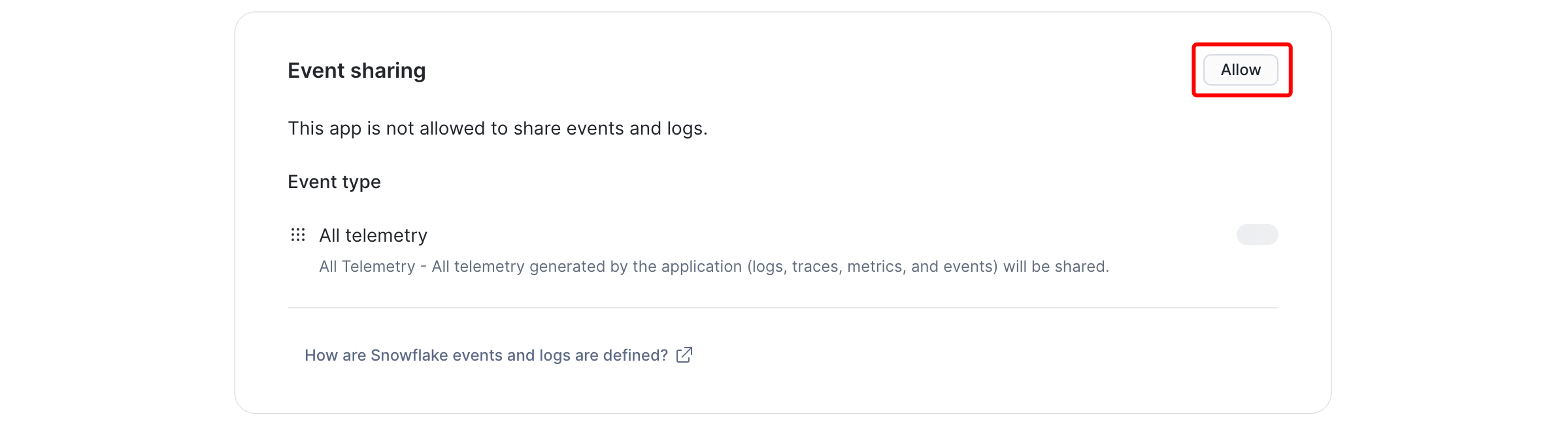
    Event sharing panel with the Allow button highlighted.

    Allow event sharing
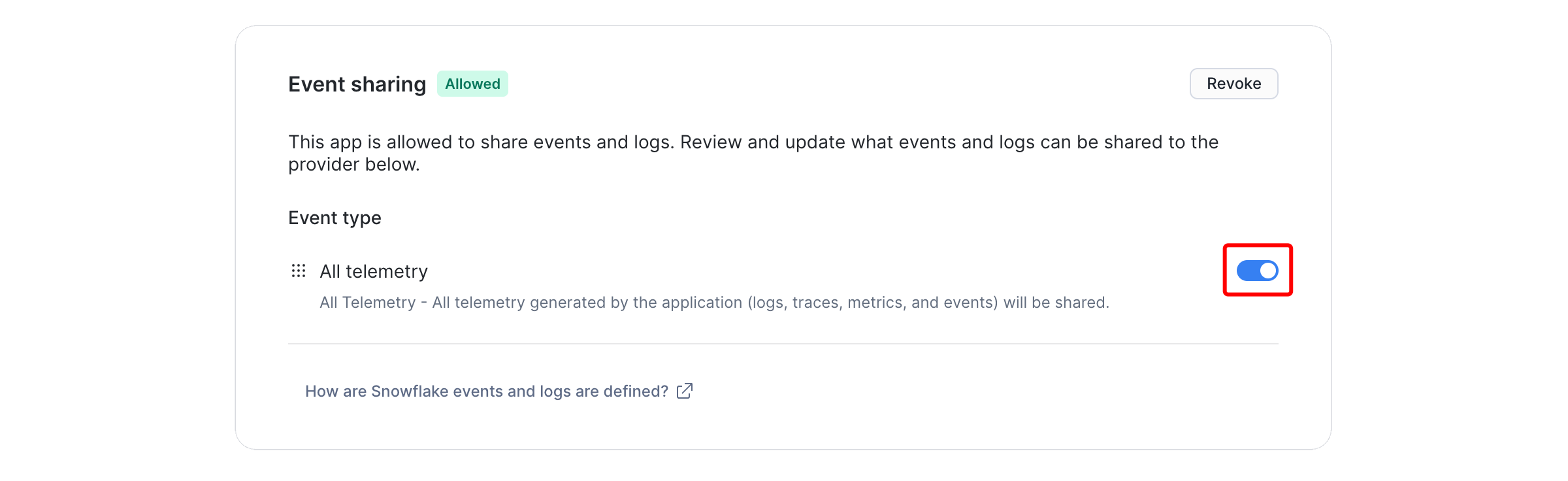
  3. Turn on All telemetry.

    Event sharing panel showing Allowed status with the All telemetry toggle turned on and highlighted.

    All telemetry turned on
NoteWhat does “All telemetry” mean?

Snowflake currently offers container apps only one switch for event sharing. The Posit Team app emits only the metrics listed on this page and does not send logs to the shared event stream. Snowflake plans finer-grained choices in the future, and we will update this page when they exist.

Verify what is shared

To see the data shared with Posit, run a query like the following. Replace <app_name> with the name of your Posit Team app.

SELECT TIMESTAMP,
       RECORD_TYPE,
       SCOPE,
       RECORD,
       RESOURCE_ATTRIBUTES,
       RECORD_ATTRIBUTES,
       VALUE
  FROM SNOWFLAKE.TELEMETRY.EVENTS
 WHERE RESOURCE_ATTRIBUTES['snow.application.name'] = '<app_name>'
   AND RECORD_ATTRIBUTES['snow.application.shared'] = TRUE
   AND TIMESTAMP > DATEADD(day, -1, CURRENT_TIMESTAMP())
 ORDER BY TIMESTAMP DESC
 LIMIT 100;

See How shared data is identified for how shared data is protected before it leaves your account.

Turn sharing off

On the same screen, select Revoke. Sharing stops from that point.

How shared data is identified

The Snowflake documentation describes the information that the Snowflake Native App Framework shares with providers, and how sensitive identifiers are protected before events leave the consumer account.

Where shared data lives

Snowflake copies shared telemetry into Posit’s organizational account. Data shared with Posit never leaves the Snowflake platform.

Back to top