Streamlit
Streamlit is an open-source Python library that makes it easy to build beautiful custom web-apps for machine learning and data science.
Deploying
Use the Posit CLI to deploy Streamlit apps.
For Streamlit apps, the entrypoint is the name of the Python file containing your app. For example, if your app’s source file is named main.py, use:
Terminal
posit connect deploy streamlit \
    -n <saved server name> \
    --entrypoint \
    main.py ...
Example apps
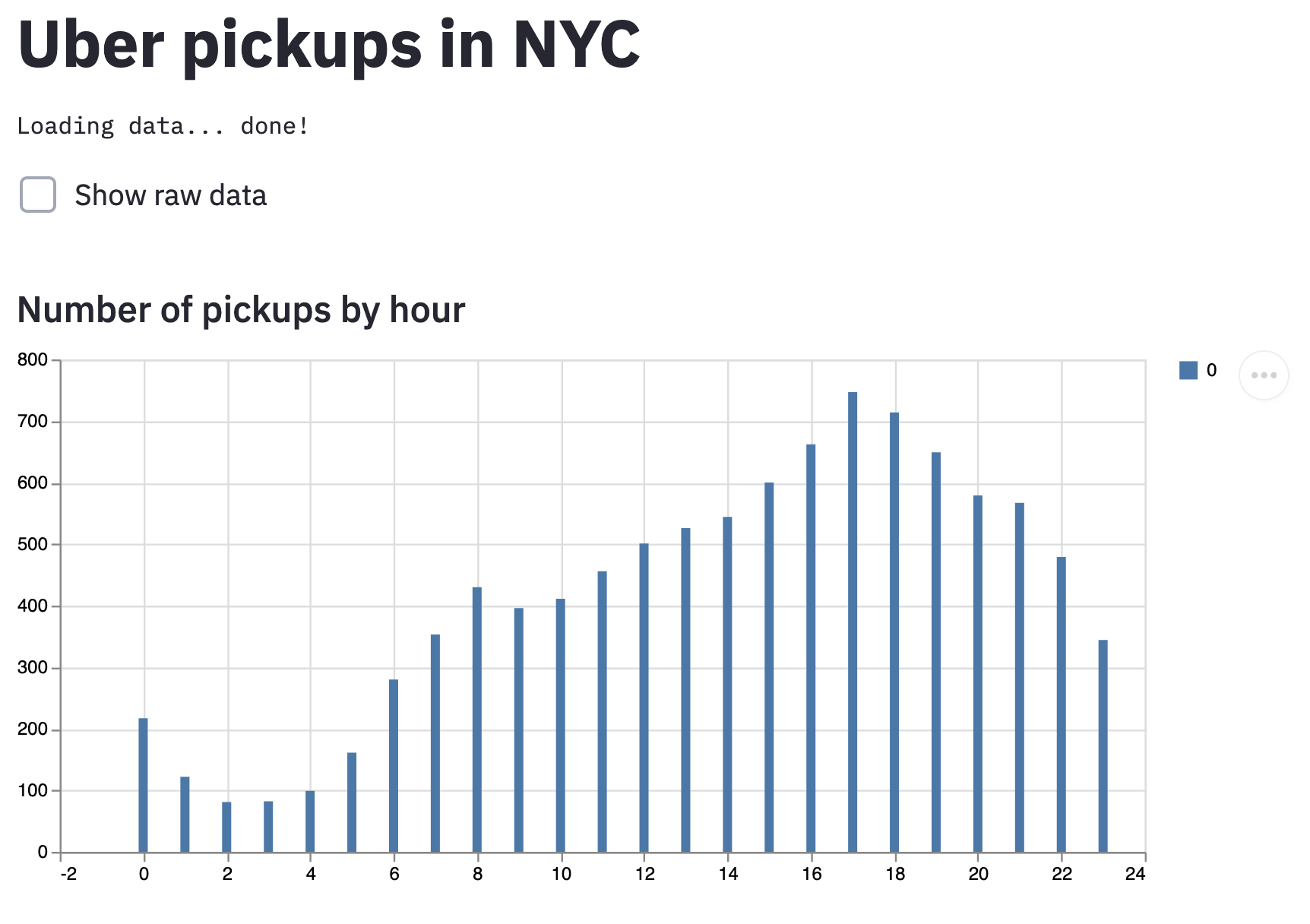
The Streamlit developers publish an Uber Pickups in New York City example app. Its repository includes the requirements.txt file that the Posit CLI needs to deploy it.
To deploy the example, first clone the repository:
Terminal
git clone https://github.com/streamlit/demo-uber-nyc-pickupsInstall the dependencies from its requirements.txt file:
Terminal
pip install -r demo-uber-nyc-pickups/requirements.txtThen, test the app locally:
Terminal
streamlit run demo-uber-nyc-pickups/streamlit_app.pyThen deploy to Posit Connect:
Terminal
posit connect deploy streamlit \
    -n <saved server name> \
    --entrypoint streamlit_app.py \
    demo-uber-nyc-pickups/
User meta-data
This example requires streamlit >= 1.37
import json
import streamlit as st

def get_user_info():
    user_info_json = st.context.headers.get("Rstudio-Connect-Credentials")
    if user_info_json is None:
        return None
    return json.loads(user_info_json)

def get_username():
    user_info = get_user_info()
    if user_info is None:
        return None
    return user_info.get("user")

st.write("Username: " + get_username())
User and group uniqueness
Most environments have unique usernames where each user identifies a single user and groups the name of the groups the user is a member of.
However, in large organizations with hundreds of users and groups, this may not be true. See the Admin Guide sections Credentials for Content for more information.
Details
Some things to note about running Streamlit apps on Connect:
Connect disables Streamlit’s telemetry, which is enabled by default. This is equivalent to setting
gatherUsageStats = falsein the Streamlitconfig.tomlfile. Telemetry is disabled to prevent accidentally leaking information about your internal systems and to ensure a smooth experience in air-gapped environments.Since Streamlit stores state in memory, Connect uses a
connect.workeridcookie to ensure that requests for the same user session are routed to the appropriate worker process.