Installation
Installation
The latest version of the installers are available in the Direct Downloads section below.
If you require a different version of RStudio Desktop, you can find previous versions on our RStudio IDE / Workbench - Previous Versions page.
Microsoft Windows
RStudio Desktop Pro for Windows requires a 64-bit edition of Microsoft Windows 11.
Installer
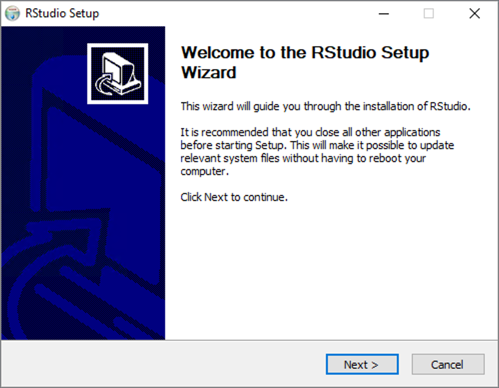
Download the self-extracting installer (.exe) and execute it. Follow the prompts in the setup wizard. Administrator access is required to complete the installation. The installer will create a shortcut for RStudio and an Add/Remove Programs entry for uninstall.
Zipfile Option
A zip file may be downloaded instead of the self-extracting installer. Download and extract the .zip to any location. RStudio may then be run directly from that location via rstudio.exe (in the bin folder).
Mac
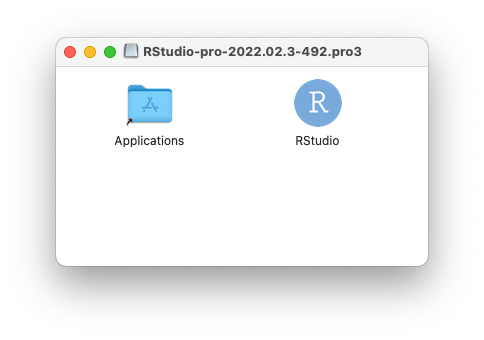
RStudio Desktop Pro for Mac requires macOS 15 (Sequoia), or newer. Download the disk image (.dmg) and open it. Drag the RStudio icon to Applications then eject the disk image once complete. To uninstall, move RStudio from where it was installed to the trash.
Apple Silicon (Mac M-Series)
RStudio runs natively on Apple silicon. Rosetta 2 is only required if you use an Intel (x86_64) build of R:
/usr/sbin/softwareupdate --install-rosettaFor more information regarding Rosetta 2 on Apple silicon, visit Apple’s support documentation.
Linux
RStudio produces binary packages targeting the following 64-bit Linux desktop distros. Download the appropriate package and install using system tools.
| Linux Distro | RStudio package format |
|---|---|
| Ubuntu 22.04 LTS | deb |
| Ubuntu 24.04 LTS | deb |
| Ubuntu 26.04 LTS | deb |
| RHEL 9 | rpm |
| RHEL 10 | rpm |
Linux desktop users may need to import RStudio’s public code-signing key prior to installation, depending on the operating system’s security policy.
Direct Downloads
Direct download links for RStudio Desktop Pro 2026.10.1, the version this documentation describes:
| Platform | Download |
|---|---|
| Windows 11 | RStudio-pro-2026.10.1-239.pro3.exe |
| Windows 11 (zip archive) | RStudio-pro-2026.10.1-239.pro3.zip |
| macOS 15+ | RStudio-pro-2026.10.1-239.pro3.dmg |
| Ubuntu 22 / 24 / 26, Debian 13 | rstudio-pro-2026.10.1-239.pro3-amd64.deb |
| RHEL 9 / 10 | rstudio-pro-2026.10.1-239.pro3-x86_64.rpm |